Juniper networking equipment runs campus closets, data center racks and service provider edges in many enterprise networks. If you manage that gear, you need to know what each product line does, because the right model saves money, power and rack space.
This guide walks through the main Juniper families and how to choose between them. It also covers new vs used hardware, airflow, lifecycle planning and how Silverback helps you buy, spare and retire Juniper gear.
Who is Juniper Networks today?
Pradeep Sindhu founded Juniper Networks in 1996, and the company made its name with high-performance routers and Junos OS. Since then, it has grown into switching, security and wireless as well. Its headquarters sit in Sunnyvale, California.
In January 2024, Hewlett Packard Enterprise agreed to buy Juniper in an all-cash deal worth about $14 billion. HPE then completed the acquisition on July 2, 2025. As a result, Juniper now sits within HPE Networking, which former Juniper CEO Rami Rahim leads.
For buyers, the hardware itself still works the same way. EX, QFX, MX and SRX part numbers and Junos OS remain in wide use. However, it helps to work with a supplier that understands both the Juniper and the HPE side of the business.
Juniper networking equipment product lines
Most Juniper networking equipment falls into five groups. Each one solves a different problem, so start with where the device will live in your network.
EX Series campus switches
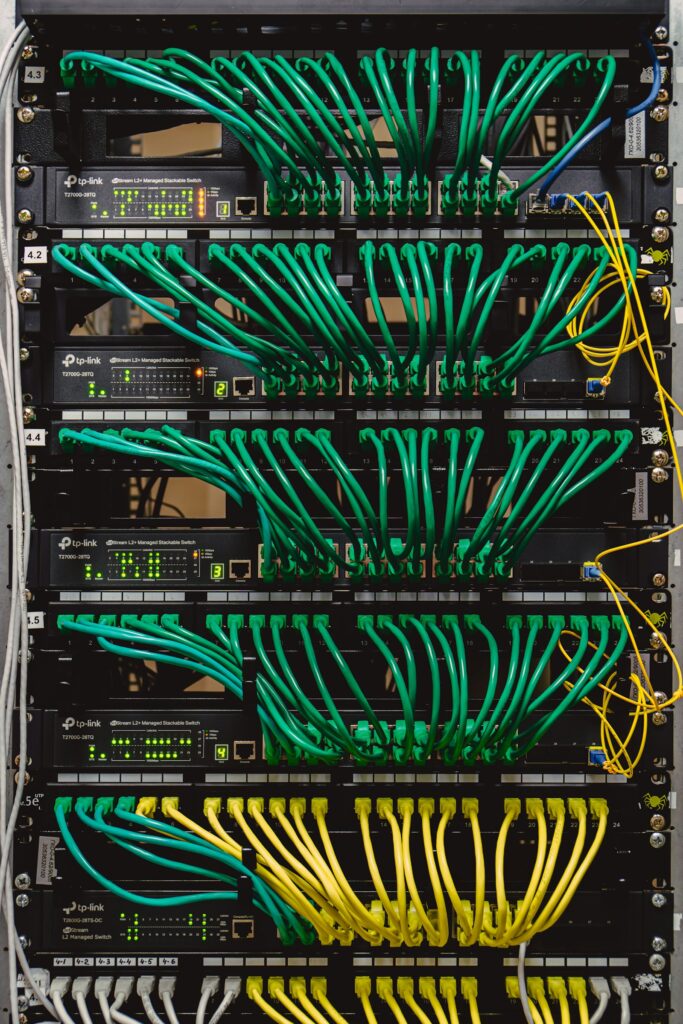
The EX Series covers 1U campus access and aggregation switches that run Junos OS. Most models support Virtual Chassis, so you can stack several switches and manage them as one. Popular models include the EX2300-48P, EX3400-48P and EX4400-48P. For a full model comparison, read our guide to EX access switches.
QFX Series data center switches
QFX switches are 1U top-of-rack and spine switches with 10GbE, 25GbE and 100GbE ports. For example, the QFX5110-48S offers 48 10GbE SFP+ ports, while the QFX5120-48Y-AFO2 moves the server edge to 25GbE. The EX4600 and EX4650 also fit this tier as aggregation switches. See our breakdown of QFX data center switches for speed and airflow choices.
MX Series routers
MX Series routers are universal routing platforms for the edge, aggregation and provider networks. The MX204 is a 1U router with 400 Gbps of throughput, while the MX304 is a 2U router with 4.8 Tbps of capacity. In addition, larger MX240, MX480 and MX960 chassis take line cards such as the MPC7E-10G. Our MX router guide covers chassis, cards and routing engines.
SRX Series firewalls
SRX devices are Juniper firewalls, also known as services gateways. They range from the desktop SRX300 for small branches to the 1U SRX4600 for large enterprises and data centers. Our SRX sizing guide explains how to pick between them.
Power supplies and optics
Spare power supplies and transceivers keep everything else running. Common examples include the JPSU-920-AC-AFO for PoE switches and the JNP-SFP-25G-SR 25G optic. Our guide to replacement PSUs and optics shows how to match them.
How to choose Juniper networking equipment
Start with the role, not the model number. A wiring closet needs access ports and PoE, while a server rack needs dense 10G, 25G or 100G ports. Similarly, a WAN edge needs routing scale, and a branch office needs a firewall.
Then size each device for today plus some headroom. For instance, count the phones, access points and cameras that draw PoE before you pick a switch. An EX2300-48P gives a 740 W PoE budget, while an EX4400-48P supports 802.3bt PoE at up to 90 W per port.
Finally, check uplinks and stacking. Because most EX models support Virtual Chassis, you can add switches later and still manage them as one. So pick a model whose uplink speed matches your core or distribution layer.
Common buying mistakes to avoid
First of all, do not order by family name alone. An EX4300-48P and an EX4300-48MP look alike, but the 48MP adds multigigabit ports up to 10GbE. Also, watch suffixes such as AFO, AFI and AFO2, because they change the airflow and sometimes the generation.
Another common mistake is ignoring power. A PoE switch with one power supply may not have enough budget for every port. For example, the EX3400-48P has a 740 W PoE budget with one 920 W supply, and 1440 W with two.
New vs used Juniper networking equipment
New hardware makes sense when you need the latest features and a long support runway. On the other hand, used gear costs far less and often ships faster. In fact, many teams mix both, with new core gear and used spares on the shelf.
Silverback supplies new and used Juniper hardware, tested before it ships. That means you get working gear that is ready to configure, without the new price. Also, check software licensing before you buy, since some features need a license on top of the hardware. To compare the trade-offs, read our guide to refurbished vs new enterprise hardware.
Juniper networking equipment compatibility: AFO vs AFI airflow
Airflow causes more ordering mistakes than anything else in data center gear. AFO stands for Air Flow Out and means front-to-back airflow, from the port side to the power supply and fan side. AFI stands for Air Flow In and means back-to-front airflow, from the FRU side to the port side.
Juniper does not support mixing airflow directions in one chassis. So when you order a spare fan or power supply, match its suffix to the switch. For example, a QFX5200-32C-AFI needs AFI parts, while an EX3400 uses the AFO power supply JPSU-150-AC-AFO by default.
Also check optics against the port type. An SFP28 port takes 25G optics such as the JNP-SFP-25G-SR, while a QSFP28 port takes 100G optics.
Lifecycle planning and buyback for Juniper networking equipment
Every network reaches a refresh point. When it does, your retired Juniper gear still has value, especially current models like the EX4400 or QFX5120. Silverback buys back retired hardware, so you can offset the cost of the upgrade.
We also offer certified data destruction and ITAD under R2v3, ISO 14001 and ISO 45001. As a result, your configs and stored data leave safely, and the hardware goes to reuse or responsible recycling. Learn more in how IT buyback value works.
Why buy Juniper networking equipment from Silverback
Silverback is a trusted supplier of Juniper hardware and a certified HPE Business Partner. Since Juniper now sits within HPE Networking, that mix helps when you plan a network with both brands. Read more on our Juniper hardware and HPE partnership pages.
We supply new and used Juniper switches, routers, firewalls, power supplies and optics, tested before they ship. Send us the part number and get pricing and lead time within one business day. You can also browse our current inventory or our data networking products.
For full specifications, Juniper keeps product pages on juniper.net. When you have a model in mind, request a quote and ask for new or used condition.
Frequently Asked Questions
Is Juniper still a separate company?
No. HPE completed its acquisition of Juniper Networks on July 2, 2025, and Juniper now sits within HPE Networking. Existing Juniper hardware and Junos OS remain in wide use.
Does Silverback sell used Juniper equipment?
Yes. Silverback supplies new and used Juniper switches, routers, firewalls and parts, tested before they ship. Ask for new or used condition when you request a quote.
What do AFO and AFI mean on Juniper part numbers?
AFO means front-to-back airflow, and AFI means back-to-front airflow. Juniper does not support mixing the two in one chassis.
Will Silverback buy my old Juniper gear?
Yes. We buy back retired hardware and offer certified data destruction, so you can recover value and stay compliant.
How fast can I get pricing?
Send us the part numbers and get pricing and lead time within one business day.
Get a quote for Juniper networking equipment
Whether you need one spare power supply or a full rack of switches, Silverback can help. Send us your part list, and we will reply with pricing and lead time within one business day.
Call (888) 391-5211 or get a free quote online. Ask for new or used condition, and we will match the right hardware to your network.